

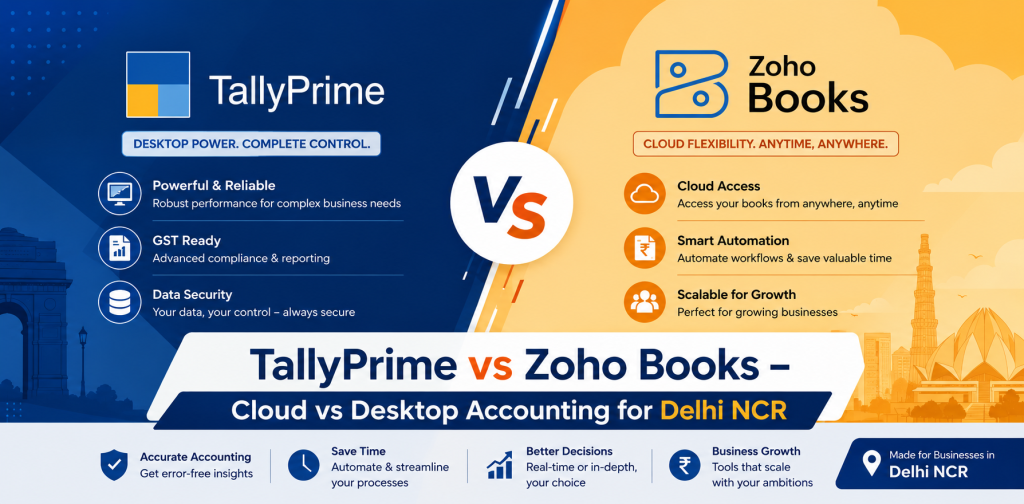
TallyPrime vs Zoho Books – Cloud vs Desktop Accounting for Delhi NCR
If you are comparing Zoho Books and TallyPrime, it is easy to get stuck looking at feature lists. Both can handle everyday accounting, GST, invoices, reports and business records, so a simple checklist does not always make the decision any easier.
The real difference becomes clearer when you look at how your business works. Does your accountant spend most of the day working with vouchers and ledgers? Does your owner want to check accounts while travelling? Do you manage a large inventory? Are different teams working from Delhi, Noida or Gurugram?
These practical questions matter more than choosing between “cloud” and “desktop.” In this Zoho Books vs Tally comparison, we will look at where each platform fits and what you should consider before making a decision.
Table of Contents
ToggleZoho Books vs TallyPrime at a Glance
Comparison Area | TallyPrime | Zoho Books |
Core approach | Desktop-first accounting | Cloud-first accounting |
Internet dependency | Core accounting can work locally | Primarily designed for online use |
Remote access | Possible with a suitable remote or cloud setup | Built around online access |
GST | Strong GST accounting and compliance features | GST accounting and filing features |
Inventory | Well suited to detailed stock accounting | Inventory tracking with options based on requirements |
Interface | Ledger and voucher focused | Dashboard and workflow focused |
Integrations | Can be integrated and customized | Connects closely with the Zoho ecosystem |
Collaboration | Depends on how Tally is deployed | Designed for online collaboration |
Often considered by | Traders, accountants and inventory-heavy businesses | Startups, service firms and distributed teams |
This gives you the broad picture, but there is an important catch. Two businesses of the same size can still make completely different choices because their accounting processes are different.
A Delhi distributor handling hundreds of stock movements every day, for example, may care much more about inventory and accounting depth. A consulting firm with employees working from several cities may put easier online access much higher on its list.
What Is the Main Difference Between TallyPrime and Zoho Books?
TallyPrime feels like software built with an accountant’s desk in mind. Ledgers, vouchers, taxation, inventory, outstanding payments and financial reports sit at the heart of the experience, which is one reason it feels familiar to many accounting professionals in India.
Zoho Books comes from a different direction. It is a cloud accounting platform where invoicing, banking, expenses, reports and other accounting activities are designed to be accessed online. That naturally makes it attractive to businesses where owners and employees do not always work from the same office.
It would still be unfair to reduce the choice to “Tally is desktop and Zoho is cloud.” TallyPrime can also be used remotely with the right setup. A better comparison is therefore about how your team wants to work, what it needs to manage and how much flexibility it expects from the accounting system.
Zoho Books vs TallyPrime: Detailed Comparison
1. Ease of Use and Everyday Accounting
For someone who has spent years working in Tally, TallyPrime can feel familiar from the beginning. The ledger and voucher-based workflow matches the way many accountants already record and review transactions, so an existing Tally team may not need to rethink its entire routine.
Zoho Books has a different feel. Its dashboard-based interface makes common activities such as invoices, expenses, banking and reports easier to find visually, which may appeal to owners and employees who do not have a traditional accounting background.
So, which one is easier? That depends on who is sitting in front of the screen. A senior accountant who works with hundreds of entries every day may answer differently from a small business owner who raises a few invoices and checks outstanding payments in the evening.
2. GST and Compliance
For an Indian business, GST cannot be treated as an extra feature. It affects routine sales, purchases, invoicing and accounting, which means the software needs to fit the way your team handles compliance throughout the month.
Both TallyPrime and Zoho Books support GST-related accounting. When comparing them, look at the tasks your team actually performs, including:
- GST sales and purchase entries
- CGST, SGST and IGST calculations
- HSN and SAC details
- E-invoicing
- E-way bill requirements
- GST reports and reconciliation
- Working with your accountant or CA
The last point is easy to overlook. If an outside accountant or CA regularly reviews your books, ask how information will be shared and checked before changing software.
A long list of compliance features looks good on a product page, but day-to-day convenience matters more. If correcting an entry, checking tax treatment or finding a mismatch takes too much time, that friction will be felt every month.
3. Inventory Management
This is where the nature of the business starts to make a noticeable difference. A consulting company with almost no physical stock will look at inventory very differently from a Delhi wholesaler supplying products across NCR.
TallyPrime is widely used in trading and inventory-led environments where stock and accounts need to stay closely connected. For businesses already running such processes in Tally, retaining that familiar structure can be a practical advantage.
Zoho Books also provides inventory tracking connected with sales and purchase activity. If your stock operations are more complicated, however, it makes sense to check the relevant plan and other Zoho inventory options rather than assuming every requirement will be handled in exactly the same way.
Before deciding, write down what happens to an item from the moment it is purchased until it is sold. That exercise quickly reveals whether you need:
- Multiple stock locations or warehouses
- Batch or serial number tracking
- Stock valuation
- Reorder information
- Detailed purchase and sales tracking
- Item-level reports
Testing these real situations is far more useful than comparing twenty inventory features that your business may never use.
4. Remote Access and Multi-Location Working
Imagine a business with accounts in Delhi, a warehouse in Ghaziabad, a sales office in Noida and an owner who spends part of the week in Gurugram. In that situation, access is not a minor convenience. It becomes part of the accounting workflow.
Zoho Books is built for online access, so it naturally suits teams that regularly need to work with financial information from different locations. That can be useful for owners who want visibility without being physically present in the accounts office.
TallyPrime takes a desktop-first approach, but that does not mean it must remain on one office computer. Businesses that prefer Tally can explore suitable remote or cloud setups instead of moving to another accounting platform solely because they need access outside the office.
The key question is how often remote access is actually required. Occasional access for an owner is very different from having several employees entering transactions from different locations throughout the day.
5. Reporting and Business Visibility
Reports are another area where it is easy to compare quantity instead of usefulness. Most businesses do not need every report their accounting software can produce; they need the right information at the right time.
An accountant may spend more time looking at ledgers, outstanding balances, stock details and statutory reports. A business owner may simply want to know how sales are moving, who has not paid, what cash is available and whether margins are improving.
TallyPrime offers detailed accounting, inventory and statutory reporting within its accounting-focused environment. Zoho Books presents financial information through reports and cloud-based dashboards, which can be convenient when owners or managers frequently check figures online.
A simple way to compare the two is to take the five reports your team uses most often and see how each platform handles them. That tells you much more than counting how many reports appear in a brochure.
Which Is Better for Different Types of Businesses?
There is no useful answer to Zoho Books vs Tally without considering the type of business using it. The following examples are not rigid rules, but they can help narrow the choice.
Business Requirement | Option Worth Considering |
Detailed accounting and stock management | TallyPrime |
Trading or distribution operations | TallyPrime |
Existing Tally-trained accounts team | TallyPrime |
Cloud-first startup | Zoho Books |
Service-based company | Zoho Books |
Team working from several locations | Zoho Books |
Business already using Zoho applications | Zoho Books |
Existing Tally user needing remote access | TallyPrime with a suitable remote or cloud setup |
Highly specific workflow | Compare customization and integration needs |
There will naturally be exceptions. A distributor may want Tally’s familiar accounting environment but also need regular remote access, while a service company may continue with Tally because its finance team has used it successfully for years.
That is why switching software simply because another platform appears more modern is rarely a good reason on its own. Changing an accounting system affects people, historical data and established processes as well as technology.
Zoho Books vs TallyPrime for Delhi NCR Businesses
Delhi NCR has plenty of businesses that do not operate neatly from one location. The accounts team may sit in Delhi while stock is stored in Ghaziabad, sales employees work across NCR and management regularly moves between offices.
In that environment, start with your actual workflow. Look at who enters transactions, who approves them, where inventory is kept, how your CA reviews the accounts and which people need access outside the main office.
Growth matters as well. Software that works comfortably for five employees today may need to support additional users, locations or processes later. It is worth thinking two or three years ahead instead of making the decision only around today’s workload.
Frequently Asked Questions
1. Which is better, Zoho Books or TallyPrime?
It depends on the business rather than the popularity of either product. TallyPrime can make sense for companies that rely heavily on accounting and inventory workflows, especially when their accountants are already comfortable using Tally.
Zoho Books can be attractive to cloud-first businesses that value online access and connected workflows. Before choosing, compare your actual daily tasks instead of trying to find a universal winner.
2. Is Zoho Books suitable for GST accounting?
Yes, Zoho Books supports GST accounting for Indian businesses and provides tools for GST-related transactions and compliance workflows. The exact requirements of a business can still vary depending on its registrations, transaction types and invoicing processes.
It is therefore worth checking your current GST routine with the person who actually handles it. Your accountant or CA can help identify any workflow that needs special attention before migration.
3. Can TallyPrime be used remotely?
Yes. TallyPrime can be used with suitable remote or cloud arrangements, so choosing Tally does not necessarily mean accounts can only be accessed from one office.
The right setup depends on how many people need access, where they work and how frequently they use Tally remotely. These requirements should be discussed before choosing a deployment option.
4. Which is better for inventory, TallyPrime or Zoho Books?
TallyPrime is often a practical option when detailed inventory accounting is a major part of the business. Zoho Books also offers inventory capabilities, and businesses can examine additional Zoho options when their stock operations become more complex.
Do not decide from the word “inventory” alone. Warehouses, batches, item volume, purchasing and reporting needs can completely change what the business requires.
5. Which is better for a small business?
A small consulting or service company may appreciate the online nature of Zoho Books, particularly when the owner wants to handle invoices and check accounts remotely. A small trader with substantial stock and a Tally-trained accountant may have a stronger reason to choose TallyPrime.
Being small does not automatically make one platform better. The way the company sells, records transactions, manages stock and works with its accountant is more important than employee count.
Conclusion
The Zoho Books vs Tally debate becomes much simpler once you stop asking which software is better overall and start asking which one suits the way your business operates. Zoho Books brings a cloud-first approach that can work well for distributed teams and businesses that value online accessibility, while TallyPrime remains a practical choice for organisations that want accounting-focused workflows, detailed inventory management and a system their finance team already understands.
For a Delhi NCR business, the decision should reflect what happens on an ordinary working day. Think about where accounts are maintained, how stock moves, who needs remote access, how GST is handled and what information management expects to see. Those details are more useful than choosing software because one feature sounds impressive.
If you are considering TallyPrime or trying to improve an existing Tally setup, TallyMantra can help you work through these requirements before you make the decision. Whether you need TallyPrime implementation, customization, migration, cloud access, training or ongoing support, the aim should be to build an accounting setup that fits the way your business actually works.