

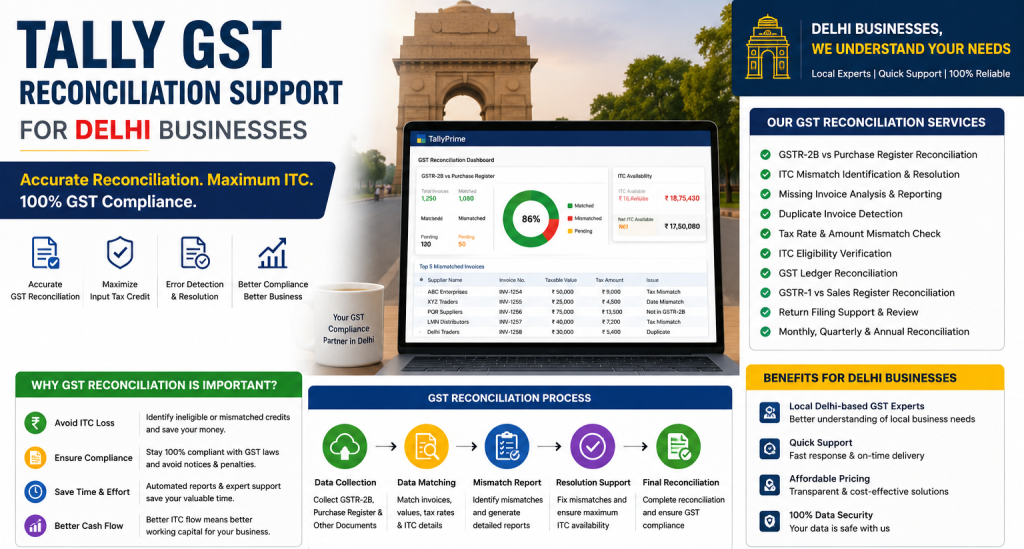
Tally GST Reconciliation Support for Delhi Businesses
When GST figures in TallyPrime do not match your GST records, checking the final amount alone will not tell you what went wrong. The actual issue may be an invoice number, an incorrect GSTIN, a difference in taxable value, or a transaction reported in another period.
This is where GST reconciliation in TallyPrime becomes useful.
Reconciliation helps you compare accounting records with GST data and identify the transactions that need attention. For businesses in Delhi handling regular purchases and sales, checking these differences during the accounting period can be much easier than leaving everything until the return filing date.
Table of Contents
ToggleWhat Is GST Reconciliation in TallyPrime?
GST reconciliation is the process of comparing transactions recorded in TallyPrime with the corresponding information available through GST records.
On the purchase side, GSTR 2B reconciliation is an important part of this process. It allows you to compare purchase transactions in your books with GSTR 2B data and identify differences.
During reconciliation, you may find transactions that match correctly, transactions with differences, invoices available only in your books, invoices available only on the portal, or transactions reported in a different period.
The purpose is not simply to make the totals equal. You first need to understand why a difference exists.
Why GST Reconciliation Matters
Consider a purchase invoice that has been recorded in TallyPrime but does not appear in GSTR 2B for the same period.
The purchase entry may still be genuine.
The supplier may not have reported the invoice yet. The invoice number could be different. The GSTIN may have been entered incorrectly, or the supplier may have reported the transaction in another period.
The opposite can happen as well. An invoice may appear in GST portal data but not in your books.
Reconciliation helps you find these differences and investigate them before making changes to your accounting records.
Common GST Mismatches in TallyPrime
Invoice Details Do Not Match
A difference in the invoice number, date, or taxable value can cause a reconciliation mismatch.
Start with the original invoice. Compare it with the voucher recorded in TallyPrime and identify the actual difference before changing anything.
GSTIN Is Incorrect
An incorrect GSTIN in a party master can affect several transactions.
If multiple invoices for the same supplier have a similar problem, check the party master before editing individual vouchers.
Invoice Is Available Only in Books
A purchase may exist in TallyPrime without appearing in the corresponding GSTR 2B data.
Check the supplier details, invoice information, GSTIN, and reporting period. Do not remove a genuine purchase transaction simply because it is not currently matching.
Invoice Is Available Only on the Portal
If an invoice appears in portal data but not in your books, first confirm that it belongs to your business.
It may already have been recorded with different details. Creating another voucher without checking could result in a duplicate accounting entry.
GST Amount Is Different
Compare the original invoice with the taxable value and GST amount recorded in TallyPrime.
If several transactions show the same type of difference, check whether they share a common ledger, party master, or configuration.
How to Reconcile GSTR 2B in TallyPrime
GSTR 2B reconciliation is one of the main areas to review when checking purchase related GST data. Instead of opening every purchase voucher manually, use the reconciliation report to identify transactions that need attention.Step 1. Select the Correct Period
Start by selecting the GST registration and reporting period you want to review. Working with the wrong period can create unnecessary confusion before reconciliation even begins.Step 2. Get the GSTR 2B Data
Use the relevant GSTR 2B data for the selected period. Depending on your TallyPrime version and setup, GST data may be downloaded through supported connected features or imported where required.Step 3. Review the Reconciliation Report
Open the GSTR 2B reconciliation report and look at the transaction status. Separate transactions that have already reconciled from those that are mismatched or require further review.Step 4. Check the Mismatched Transactions
Open the transactions that need attention. Compare the GSTIN, invoice number, invoice date, taxable value, GST amount, and reporting period. If TallyPrime has already identified a specific difference, start your investigation there.Step 5. Find the Actual Cause
Do not change a voucher just because it is showing as a mismatch. If the GSTIN is incorrect, check the party master. If the invoice number differs, compare it with the supplier invoice. If the transaction appears only in your books, check the supplier reporting information and return period. Any correction should be based on the actual transaction.Any correction should be based on the actual transaction.
Step 6. Review the Report Again
After making a valid correction, return to the reconciliation report and check the transaction again.
Continue reviewing the remaining differences until you understand which transactions have been resolved and which still require attention.
Review GSTR 1 and GSTR 3B as Well
GST reconciliation should not stop with GSTR 2B.
Your sales records should support the outward supply information reported through GSTR 1. The figures used for GSTR 3B should also be reviewed against the underlying accounting records.
Depending on your business, review taxable sales, output GST, purchases, Input Tax Credit records, credit notes, debit notes, adjustments, and transactions showing exceptions.
Do not focus only on the final return totals. Important figures should be traceable to the transactions behind them.
A Practical Way to Find GST Errors
When there are many mismatches, opening vouchers randomly can waste time.
We prefer to start with the reconciliation report, identify the mismatch, check the relevant voucher, review the party or ledger master, and finally compare the supporting invoice.
For example, suppose several invoices from the same supplier have an incorrect GSTIN. Checking the supplier master first makes more sense than editing each voucher separately.
The same approach applies to GST configuration. If several transactions have the same tax problem, there may be one common configuration issue behind them.
How Often Should You Reconcile GST?
The right frequency depends on the number of transactions your business handles.
A trading business processing hundreds of supplier invoices may need more frequent reconciliation than a small service business with a limited number of monthly purchases.
The important thing is not to leave every mismatch until the return deadline.
Regular review gives your accounts team more time to investigate differences, check invoices, and follow up with suppliers where necessary.
When Your TallyPrime Setup Needs a Review
If the same reconciliation problem keeps appearing every month, individual vouchers may not be the real cause.
Your TallyPrime configuration may need attention if you regularly see incorrect GSTINs, wrong GST treatment, inconsistent party information, repeated manual corrections, or several transactions affected by the same problem.
An existing TallyPrime company can be reviewed and corrected. You do not necessarily need to create the entire company again because some GST settings are incorrect.
How We Help With GST Reconciliation in Delhi
We help businesses in Delhi review GST reconciliation issues in TallyPrime and identify where recurring mismatches are coming from.
Our work starts with understanding the difference rather than changing accounting entries simply to make the figures match.
Depending on the problem, we can assist with GSTR 2B reconciliation, mismatched transaction review, party and ledger checks, GST configuration review, GSTR 1 and GSTR 3B data review, reconciliation reports, troubleshooting, and TallyPrime user guidance.
If the same problem affects several transactions, we can also review the underlying TallyPrime configuration.
For questions involving Input Tax Credit eligibility, GST interpretation, or transaction specific tax treatment, we recommend confirming the appropriate treatment with a qualified tax professional.
GST Reconciliation Checklist
Before completing your reconciliation review, check the following.- Confirm that the correct GST registration is selected.
- Check that you are reviewing the correct period.
- Review transactions available only in books.
- Verify transactions available only on the portal.
- Check GSTIN differences.
- Review invoice number and date differences.
- Compare taxable values and GST amounts.
- Identify transactions reported in different periods.
- Make corrections only when the underlying record actually needs correction.
- Review unresolved transactions and understand why they are still unmatched.