
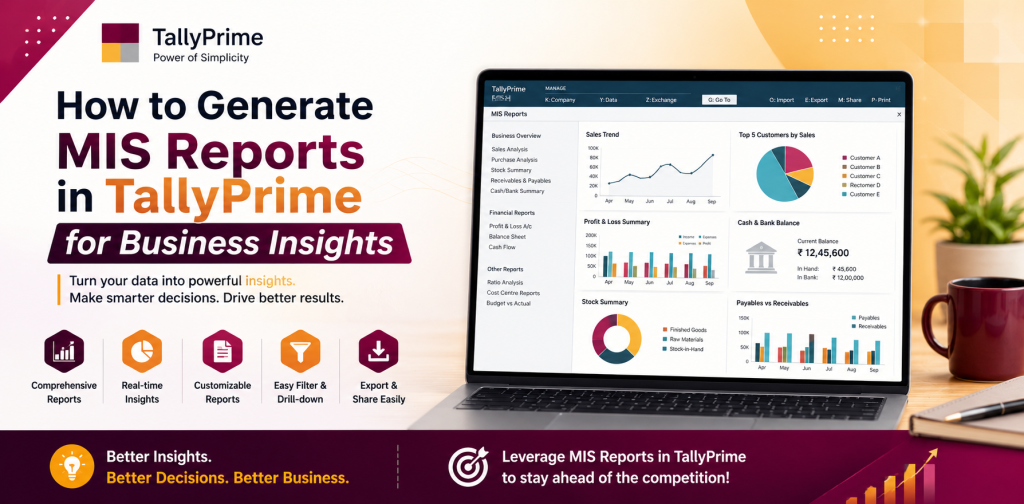
How to Generate MIS Reports in TallyPrime for Business Insights
Good business decisions rarely come from one number. Sales may rise while cash remains tight. Profit may look healthy while customers are taking longer to pay. A business may also be carrying more stock than it actually needs. MIS reports in TallyPrime help bring these different parts of the business together so that owners, managers, and finance teams can understand what is really changing.
Interactive digital reports can also be useful when exported business information needs to be presented or shared online in an easy-to-view format. Before presentation matters, though, the figures themselves need to be accurate. A useful MIS starts with reliable data in TallyPrime and a clear idea of what management wants to understand.
Table of Contents
ToggleWhat Are MIS Reports in TallyPrime?
MIS stands for Management Information System. In simple terms, MIS reporting turns business data into useful information for management. It helps people move beyond raw transactions and look at patterns in sales, expenses, cash flow, customer dues, supplier payments, inventory, and profitability.
In TallyPrime, MIS is not limited to one fixed report. Different reports answer different questions. Profit and Loss helps explain income and expenses. The Balance Sheet shows assets and liabilities. Cash Flow helps track movement of money, while receivables and payables show what customers owe and what the business needs to pay.
For businesses that maintain inventory, stock reports add another useful layer. The real value comes from reviewing these reports together instead of treating each one separately.
Important MIS Reports in TallyPrime
The reports worth reviewing depend on the business. A retailer may focus on stock and receivables, while a service company may pay more attention to expenses and profitability.
Common choices include Profit and Loss, Balance Sheet, Cash Flow, Sales Register, Purchase Register, Bills Receivable, Bills Payable, Stock Summary, Movement Analysis, and Cost Centre reports. Each should be chosen according to the question management wants to answer.
Higher sales do not automatically mean better performance. If margins are falling or customer dues are increasing, the business may still be under pressure.
How to Generate MIS Reports in TallyPrime
A useful MIS review should begin with a business question rather than with a long list of reports. Questions such as “Why did profit fall this month?” or “Why is our cash position weaker?” give the review a clear direction.-
Start with Updated Business Data
-
Choose the Right Report
-
Select a Relevant Reporting Period
-
Look Beyond the Final Total
Understand Profitability with Profit and Loss
Profit and Loss is one of the most useful reports for regular management review because it brings income and expenses together for a selected period. However, looking only at the final profit figure can hide important details.
Suppose sales increased during the month but profit declined. At first glance, the higher turnover may look positive. A closer review could show that purchase costs increased, operating expenses were unusually high, or margins became tighter.
That explanation is far more useful than simply saying that sales were higher. Comparing similar periods can also help management separate one-time changes from trends that are continuing over several months.
Use Cash Flow to Understand Available Cash
Profit and cash are not the same thing. A business can make profitable sales and still have limited cash available because customers have not paid yet or because money has been used for stock, supplier payments, or other commitments.
Cash Flow reports help management understand how money moved during a selected period. If the cash position feels weaker than expected, the report should be reviewed alongside receivables and payables.
Slow collections, higher purchasing, or several payments falling due at the same time may explain the pressure. Looking at these areas together gives management a more realistic view than relying on profit alone.
Review Sales in Context
Sales reports are useful, but total turnover can sometimes hide what actually happened. A large increase in sales may represent steady growth across many transactions, or it may come mainly from one unusually large order.
When sales fall, management should also review the transactions behind the figure before treating the drop as a trend.
Sales become even more meaningful when they are reviewed alongside profitability and receivables. Growth supported by healthy margins and timely collections is very different from growth that leaves the business waiting longer for its money.
Track Customer Outstanding Amounts
A sale contributes to revenue, but an unpaid invoice does not help much with current cash requirements. Bills Receivable helps businesses identify what customers still owe and which balances need attention.
A regular review should look at overdue invoices, large pending amounts, customers who repeatedly pay late, and changes in total receivables over time. If outstanding amounts are rising much faster than sales, management may need to review collection practices or payment terms.
Bills Payable provides the other side of the picture. Knowing what needs to be paid to suppliers helps the business plan upcoming cash requirements more carefully.
Use Inventory Reports for Better Stock Decisions
Stock can tie up a large amount of working capital, especially in retail, trading, distribution, and manufacturing businesses. Stock Summary helps management review quantities and values recorded in TallyPrime, while Movement Analysis can provide more context about inventory activity.
The useful question is not simply how much stock is available. Management should also consider whether that stock is moving at the right pace.
An item that continues to be purchased but sells slowly may be locking up money unnecessarily. A fast-moving item that repeatedly runs short may point to a purchasing or replenishment issue. This makes inventory reporting useful for operational decisions as well as accounting reviews.
Review Departments and Projects with Cost Centres
Overall company profit does not always show which part of the business is performing well. Where cost centres are configured correctly and used consistently, related reports can help review income and expenses across projects, departments, branches, or other business units.
This can make it easier to see where costs are being incurred, but the quality of the report depends on the allocations entered in TallyPrime.
If transactions are regularly assigned incorrectly or left without the required allocation, the analysis will naturally be incomplete.
Export and Share MIS Reports Carefully
MIS reports may sometimes need to be reviewed outside TallyPrime for management meetings, further analysis, or discussions with an accountant or another authorized stakeholder. Supported reports can be exported when required.
Before sharing a report, check the company, reporting period, filters, settings, and figures. MIS reports can contain sensitive information about profit, customer dues, supplier balances, stock values, and cash positions, so they should be shared only with people who genuinely need access.
Common Mistakes That Reduce the Value of MIS Reports
Many MIS problems start with the data rather than the report itself. Missing transactions can leave the picture incomplete, while incorrect ledger classification can distort financial analysis. Inventory reports also become less reliable when recorded quantities do not reflect the actual stock position.
Another common mistake is looking only at totals. Knowing that expenses increased is not enough; management should understand which expenses changed and why.
It is also risky to rely on a single report for an important decision. Sales, profit, cash, receivables, payables, and inventory are connected. Reviewing related reports together usually provides better context.
Build a Practical Monthly MIS Routine
A useful monthly MIS does not have to be long. For many businesses, a small group of reports covering sales, profitability, expenses, cash movement, receivables, payables, and inventory is enough.
Consistency matters more than volume. Reviewing the same core areas each month makes unusual changes easier to identify and keeps attention on exceptions.
If an expense suddenly rises, find out what caused it. If receivables keep growing, identify the customers or invoices responsible. If inventory value increases without a similar rise in sales, check what products are accumulating. This is what turns MIS from an accounting routine into a useful management tool.
Frequently Asked Questions About MIS Reports in TallyPrime
What is an MIS report in TallyPrime?
MIS reporting in TallyPrime uses accounting, financial, sales, outstanding, and inventory information to help management understand business performance. Instead of relying on one fixed report, businesses can combine the reports that are most relevant to their needs.
Which reports are useful for a monthly MIS?
Profit and Loss, Balance Sheet, Cash Flow, Sales Register, Bills Receivable, Bills Payable, Stock Summary, and relevant inventory or cost centre reports are common choices. The final set should match the way the business operates.
How should monthly MIS figures be compared?
Use similar reporting periods and review the same important measures consistently. When a major change appears, check the transactions, customers, expenses, or products behind the figure rather than treating the total as the full explanation.
Can MIS reports from TallyPrime be exported?
Supported TallyPrime reports can be exported when they need to be analyzed or shared outside the software. The available options can vary depending on the report and version being used.
Why do MIS figures sometimes look incorrect?
Start by checking the reporting period, missing transactions, ledger classifications, stock records, and report settings. An unexpected number may also reflect a genuine business change, so the underlying records should be reviewed before assuming there is an error.
Turn TallyPrime Reports into Better Decisions
The purpose of MIS reporting is not to produce more paperwork. It is to make the information already available in TallyPrime easier to understand and use.
Profit and Loss may reveal changing margins, while receivables may explain why cash feels tight. Inventory reports can show where money is sitting in slow-moving products, and Cash Flow can provide context that profit alone cannot offer.
Together, these reports give management a clearer view of what is changing and where attention is needed. TallyMantra helps businesses configure and use TallyPrime for accounting, inventory, reporting, and operational requirements so that regular MIS reviews remain practical and relevant.