

How Cloud Tally Hosting Provides Better Business Continuity & Data Recovery
Imagine reaching the office and finding that the computer used for TallyPrime will not start. Invoices are pending, customer balances need checking, and the accounts team needs access to recent data. At that point, the immediate concern is not really the computer itself. It is how quickly the team can get back to work without losing access to the information they depend on.
This is why businesses need to think beyond routine backups. A backup helps recover information, while business continuity focuses on keeping essential accounting operations available or restoring them with minimal disruption.
Cloud-based Tally access can support this plan by reducing dependence on a single office computer and providing a more flexible way to access TallyPrime, manage backups, and continue working when the usual setup is unavailable.
Table of Contents
ToggleBusiness Continuity Is More Than Taking a Backup
A backup is a recoverable copy of important data. Recovery is the process of restoring that data after a problem. Business continuity covers the wider plan for keeping accounting operations running when the usual device, office, or system is unavailable.
For example, a business may store its daily backup on an external drive kept beside the office computer. While this is better than having no backup, both the working system and backup could be affected by hardware failure, theft, or damage at the office.
A stronger plan asks:
- Where else is the data available?
- Who can restore it?
- How will employees work if their usual computer is unavailable?
- How long can accounting remain interrupted?
- Is there another way to access important accounting work?
These questions are more useful than simply saying, “We take backups.” A backup is important, but the business also needs to know what happens between the moment something fails and the moment normal work resumes.
What Changes When TallyPrime Moves to the Cloud?
In a local setup, TallyPrime and its company data may depend heavily on office computers. This can work well for years, but businesses still need to consider what happens if that environment suddenly becomes unavailable.
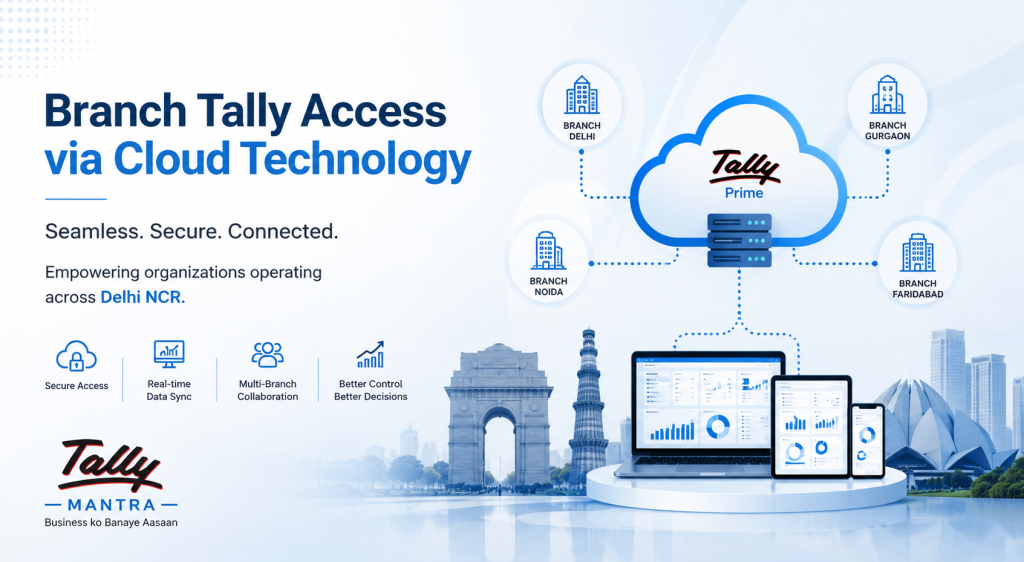
TallyPrime Cloud Access provides a Virtual Computer where TallyPrime and business data can be accessed over the internet. Authorised users can connect to this environment instead of relying only on a physical office computer.
This can help employees work from home, another branch, or a temporary location. It also reduces the impact of a problem with one workstation because the working environment is not tied entirely to that device.
For a business that already has employees working from different places, this flexibility is useful even when nothing has gone wrong. The same access arrangement used during a normal working week can also become useful when the office setup is disrupted.
Cloud access does not remove every risk, but it changes how the business manages access and recovery.
What Gets Backed Up in TallyPrime Cloud Access?
TallyPrime Cloud Access includes backup capabilities for its Virtual Computer environment. Automatic backups are created daily when the Virtual Computer is started for the first time. Administrators or owners can also create manual backups when required.
These backups are stored in the cloud and can be downloaded to a local computer. Manual backups are especially useful before major changes or configuration work because they provide an additional recovery point.
Businesses should still understand what is covered, where backups are stored, who can access them, and how much storage is available under their plan. It is better to know these details during normal operations than to discover them for the first time when data needs to be restored.
A Backup Is Useful Only If You Can Restore It
Businesses often focus on how frequently backups are taken and overlook restoration.
Having several backup copies does not guarantee a quick recovery if nobody knows which copy is current, where it is stored, or who has permission to restore it.
A practical recovery plan should identify:
- Which backup will be used after a failure
- How recent that backup is
- Who is responsible for restoration
- How credentials and permissions are managed
- What happens to transactions entered after the backup was created
The goal is not to collect unlimited backups. It is to maintain usable recovery options and a clear restoration process.
It can also be useful to review the recovery process periodically. A backup routine that was suitable when one accountant used TallyPrime may need to change once several users, more data, or additional business locations become involved.
Cloud Access Can Reduce Dependence on the Office
A disruption does not always mean that data has been lost. Sometimes the system is working, but employees simply cannot reach the office.
With a cloud-access environment, authorised users can connect to their Virtual Computer over the internet. This can help businesses support remote employees, branch offices, travelling staff, or temporary work locations.
For companies with distributed teams, this flexibility can become part of everyday operations rather than something used only during an emergency. An accountant working away from the main office does not necessarily need the business to create an entirely separate accounting process just for that situation.
Cloud Hosting Cannot Fix These
Moving TallyPrime to the cloud does not correct inaccurate accounting data or poor internal controls.
Incorrect entries, excessive user permissions, shared credentials, or accidental deletions can still create problems. Businesses need secure passwords, appropriate user access, clear responsibilities, regular data reviews, and disciplined backup practices.
Cloud access changes how TallyPrime is accessed and maintained. It does not replace accurate accounting procedures.
This is worth remembering when evaluating any cloud solution. Good infrastructure can improve availability, but reliable accounting still depends on the people, permissions, processes, and data inside the system.
What If the Internet Goes Down?
Cloud access reduces dependence on local hardware but increases dependence on internet connectivity.
If users cannot access the internet, they may not be able to connect to the hosted environment. Businesses that rely heavily on cloud access should consider backup internet connections, mobile hotspots, or another practical alternative for important users.
This is especially relevant for teams that depend on TallyPrime throughout the working day. If billing or accounting cannot wait for a long connectivity outage, alternative internet access should be considered part of the continuity plan rather than an afterthought.
No setup is completely risk-free. Effective continuity planning means understanding the risks and preparing realistic alternatives.
Cloud Access, TallyDrive, and Local Backup
TallyPrime Release 7.0 introduced TallyDrive for cloud-based company-data backups. A business may therefore need online backup without requiring a complete hosted working environment.
Option | Primarily Useful For |
Local backup | Keeping recoverable data on local storage |
TallyDrive | Storing and scheduling company-data backups in the cloud |
TallyPrime Cloud Access | Working with TallyPrime through a cloud-based Virtual Computer |
Downloaded cloud backup | Keeping an additional copy outside the hosted environment |
TallyDrive and Cloud Access solve different problems. A business mainly concerned with data protection may focus on backup options. A business that also needs remote access to TallyPrime may benefit from Cloud Access.
Understanding that difference can also prevent a business from paying for a more complicated setup than it actually needs.
Think About Recovery, Not Just Storage
The amount of stored data does not show how quickly accounting can resume after a failure.
Ask what would happen if TallyPrime were unavailable for two hours. Could the business issue invoices, check collections, record payments, manage inventory, or prepare reports? What if the disruption lasted for the rest of the day?
The answers help determine how much protection and access flexibility the business needs. A company using TallyPrime occasionally may require a different setup from one that depends on it throughout the day.
This is where continuity planning becomes practical. Instead of asking only where the backup is stored, the business starts thinking about how an actual interruption would affect employees, customers, collections, and routine operations.
A Simple Continuity Plan
1. Identify Critical Activities
List the accounting tasks that cannot stop, such as billing, payment recording, inventory, receivables, or reporting. Prioritising them makes it easier to decide what needs to be restored first.
2. Decide Where Recoverable Data Will Exist
Avoid relying on one device. Define how local backups, TallyDrive, Cloud Access backups, or other suitable options will be used.
3. Assign Responsibility
Decide who manages backups, user access, restoration, and technical support. Do not wait until an emergency to clarify responsibilities.
4. Plan Alternative Access
Consider what employees will do if the office computer, workplace, or primary internet connection becomes unavailable.
5. Review the Plan
Update the plan when users, branches, data volume, or accounting requirements change. A continuity process should grow with the business rather than remaining unchanged for years.
When Cloud Tally Makes Sense
Cloud access may be useful when employees need TallyPrime from different locations, when the business wants to reduce dependence on office hardware, or when remote work is part of normal operations.
It can also help companies where accounting downtime would quickly affect billing, inventory, collections, or management reporting.
For example, a business with accounts staff at one location and management working from another may value access flexibility differently from a company where one accountant handles everything from a single office.
The decision should be based on business requirements, not simply on the idea that cloud technology is newer.
When a Local Setup May Be Enough
Not every business needs to host TallyPrime in the cloud.
A small company with one office, reliable hardware, limited remote-access needs, disciplined backups, and a clear recovery process may be comfortable with a local setup.
TallyDrive can also provide cloud-based backup without changing where users normally work.
The right question is not whether cloud is always better than local. It is whether the current setup provides the required level of access, backup, recovery, and flexibility.
FAQs
Is Cloud Tally the Same as an Online Backup?
No. A cloud backup stores a recoverable copy of data, while TallyPrime Cloud Access provides a cloud-based Virtual Computer for working with TallyPrime. The two can complement each other, but they serve different purposes.
Does TallyPrime Cloud Access Take Automatic Backups?
Yes. It provides automatic backups of the Virtual Computer environment and allows administrators or owners to create manual backups when needed.
Can Cloud Backups Be Downloaded Locally?
Yes. Applicable backups can be downloaded to a local computer, subject to user permissions. Keeping another appropriate copy can also form part of a broader recovery plan.
Does Cloud Tally Work Without Internet?
No. Internet connectivity is required to access the cloud environment. Businesses should consider backup connectivity as part of their continuity plan if regular accounting depends heavily on cloud access.
Is Cloud Access Necessary Only for Tally Backup?
No. TallyPrime Release 7.0 provides TallyDrive for cloud-based company-data backups. Full Cloud Access is more relevant when businesses also need a hosted TallyPrime environment and remote access.
Keep Your TallyPrime Operations Ready
Business continuity is easier to plan before a failure occurs. Review where TallyPrime runs, how data is backed up, who can restore it, and how employees would continue working if the usual setup became unavailable. Even a simple review can expose gaps that are easy to overlook while everything is running normally.
If you need help choosing between local Tally, TallyDrive, or a complete cloud-hosted setup, TallyMantra can help you evaluate your requirements and implement a reliable TallyPrime solution. Contact TallyMantra to discuss cloud access, backup, migration, and ongoing support based on the way your business actually works.