
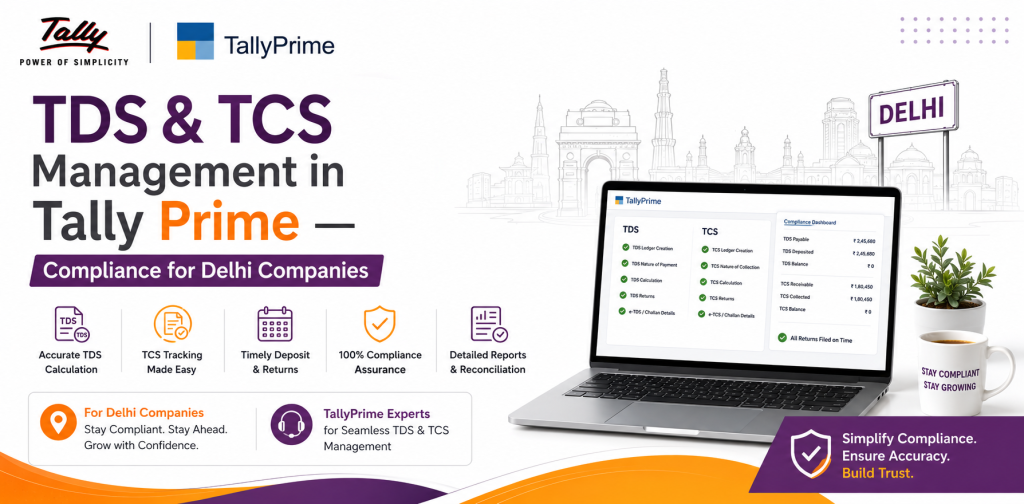
TDS & TCS Management in Tally Prime — Compliance for Delhi Companies
Managing TDS and TCS becomes difficult when transactions increase and tax details are maintained manually. A wrong ledger setup, missing PAN details or an incorrect tax configuration can affect calculations as well as reports.
TallyPrime helps businesses manage TDS and TCS within their regular accounting process. Once the required masters and tax details are configured correctly, users can record applicable transactions, check tax liabilities, review exceptions and prepare data for returns.
In this guide, we’ll look at the practical process of setting up and managing TDS and TCS in TallyPrime, along with some common problems you may face.
Table of Contents
ToggleWhat Are TDS and TCS in TallyPrime?
TDS (Tax Deducted at Source) is tax deducted from certain payments when the applicable conditions are met. Depending on the transaction and current tax provisions, TDS may apply to professional fees, contracts, rent, commission, interest, purchases and other specified payments.
TCS (Tax Collected at Source) is collected by the seller or collector on specified transactions where TCS provisions apply.
TallyPrime allows businesses to configure TDS and TCS details and connect them with their accounting entries. This reduces the need to calculate tax separately for every transaction.
However, TallyPrime can only work with the information entered into it. Incorrect ledger or party configuration can still result in wrong calculations.
Before You Configure TDS or TCS
Before enabling these features, make sure the basic company and party information in TallyPrime is correct.
Check details such as:
- Company tax information
- TAN and other applicable registration details
- Party PAN details
- Party and ledger classification
- Nature of payment or transaction
- Applicable TDS/TCS treatment
- Expense, purchase and sales ledgers
- Existing TDS/TCS liabilities
How to Enable TDS in TallyPrime
TDS needs to be enabled at the company level before it can be used in transactions.Step 1: Enable TDS
Open your company in TallyPrime and go to the statutory or taxation configuration. Enable Tax Deducted at Source (TDS) and enter the required deductor details. Check the TAN and company information carefully before saving.Step 2: Configure the Required Ledgers
Next, configure the ledgers that will be used in TDS transactions. These may include:- Party ledger
- Expense or purchase ledger
- TDS duty/tax ledger
Step 3: Check Party Details
Review the party master before recording transactions. PAN and other required tax information should be entered correctly. Missing or incorrect party details may create problems when reviewing reports or preparing return data.How to Record a TDS Entry in TallyPrime
After the setup is complete, you can record applicable transactions through the appropriate voucher.
The general process is:
- Select the party.
- Enter the expense, purchase or other applicable transaction.
- Apply the relevant TDS treatment.
- Check the taxable value.
- Review the TDS calculated by TallyPrime.
- Check the final payable amount.
- Save the voucher.
Do not assume that a calculated amount is automatically correct. If you have recently changed a ledger, tax rate or party configuration, check the calculation before saving the entry.
The tax treatment can also differ depending on the type of payment. Professional fees, contractual payments, rent and purchase transactions, for example, should not automatically be treated in the same way.
How to Configure TCS in TallyPrime
TCS follows a similar setup process.
First, enable Tax Collected at Source (TCS) in the company’s statutory settings and enter the required collector details.
Then configure the relevant:
- TCS ledger
- Sales ledger
- Party master
- Applicable TCS category or nature of goods/transaction
When an applicable sales transaction is recorded, TallyPrime can calculate TCS according to the configured details.
Before saving the invoice, check the taxable amount, TCS calculation, party details and final invoice value.
TCS should not simply be applied to every sales transaction. Its applicability depends on the nature of the transaction and current tax provisions.
Checking TDS and TCS Reports
One mistake businesses often make is checking TDS/TCS only when a return is due.
It is better to review the reports periodically.
TallyPrime reports can help you check:
- Transactions recorded during the period
- TDS/TCS liabilities
- Tax payments
- Challan details
- Incomplete transactions
- Incorrect or missing party information
- Exceptions that need attention
Regular checking makes it easier to find the source of a problem while the transaction is still recent.
For example, if the TDS liability does not match your records, don’t immediately adjust the final figure. Start by checking the party and ledger masters, then the original transaction, calculation, payment and challan details.
Preparing TDS/TCS Return Data
Before preparing return data from TallyPrime, review the transactions for the relevant period.
A practical process is:
- Select the correct reporting period.
- Open the relevant TDS/TCS report.
- Review the transactions included in it.
- Check exceptions and incomplete information.
- Correct affected masters or vouchers.
- Verify tax payments and challan details.
- Use the return/report format applicable to that period.
- Validate the exported data according to the current filing process.
There is an important point for businesses working on returns in 2026.
TallyPrime’s reporting and e-Return formats differ for returns up to 31 March 2026 and returns from 1 April 2026 onwards. If you are following an older tutorial, the form names or workflow shown there may no longer apply to your current reporting period.
For this reason, always check the latest TallyPrime and Income Tax Department guidance before filing.
Common TDS/TCS Problems in TallyPrime
TDS Is Not Calculating
If TDS does not appear when you expect it to, first check:
- Whether TDS is enabled
- Party ledger configuration
- Expense or purchase ledger
- Nature of payment
- Tax settings
- Transaction classification
Don’t manually enter a TDS amount until you understand why the configured calculation isn’t working.
TDS Amount Looks Incorrect
Check the taxable value, applicable treatment, ledger configuration, party details and rate.
If several transactions have the same problem, the issue may be in a master rather than in individual vouchers.
TCS Is Not Calculating
Check whether TCS is enabled and whether the TCS, sales and party ledgers are configured correctly.
Also confirm that TCS actually applies to the transaction.
Transactions Are Showing as Exceptions
An exception should be reviewed before return preparation.
Open the affected transaction, identify the missing or incorrect information, correct the voucher or master and then check the report again.
TDS/TCS Checklist Before Preparing a Return
A quick review before preparing return data can save a lot of correction work later.
Check that:
- Company tax details are correct
- TAN and applicable registration details are correct
- Party PAN details are available
- TDS/TCS ledgers are properly configured
- Nature of payment or transaction is correct
- Tax calculations have been reviewed
- Outstanding liabilities have been checked
- Payments and challans are reconciled
- Exceptions have been resolved
- The correct reporting period is selected
- The current return/report format is being used
This is especially useful for companies handling a large number of vendor or customer transactions.
Why Use TallyPrime for TDS and TCS?
The main advantage is that tax-related transactions remain connected with the accounting entries from which they originate.
Instead of maintaining separate calculations for every transaction, businesses can use configured masters and TallyPrime reports to manage the process more systematically.
It can also make it easier to identify outstanding liabilities and transactions that need correction.
This does not remove the need for review. TallyPrime calculations depend on the accuracy of the configuration and data entered by the user.
TDS/TCS Support for Businesses in Delhi NCR
Setting up TDS or TCS for the first time can be straightforward, but fixing an existing configuration is often more complicated. A problem in one ledger or master can affect several transactions.
TallyMantra provides TallyPrime support to businesses in Delhi and Delhi NCR, through both onsite and remote assistance.
Support can include:
- TDS/TCS configuration
- Ledger and master setup
- Review of an existing configuration
- Troubleshooting incorrect calculations
- TDS/TCS report assistance
- Reconciliation support
- Return-preparation workflow assistance
- TallyPrime user training and guidance
If TDS or TCS is not calculating correctly in your company data, it is usually better to identify the configuration problem first rather than manually correcting every affected voucher.
Frequently Asked Questions
Can TallyPrime calculate TDS automatically?
TallyPrime can calculate TDS for applicable transactions based on the tax, ledger and party configuration. The calculation should still be reviewed to make sure the underlying setup is correct.
Why is TDS not calculated in TallyPrime?
Common reasons include incorrect ledger configuration, missing party information, an incorrect nature of payment or TDS not being enabled correctly.
Can TallyPrime manage both TDS and TCS?
Yes. TallyPrime provides features for configuring, recording and reporting both TDS and TCS transactions.
Can I prepare TDS return data from TallyPrime?
TallyPrime provides TDS reports and e-Return functionality. The applicable form and process depend on the tax period and current statutory requirements.
Does TallyMantra provide TallyPrime support in Delhi?
Yes. TallyMantra provides both onsite and remote TallyPrime support for businesses in Delhi NCR, including TDS/TCS setup, troubleshooting and reporting assistance.
Need Help With TDS/TCS in TallyPrime?
If your TDS/TCS calculations are incorrect, reports contain exceptions or you need help configuring TallyPrime, TallyMantra can review your existing setup and help identify the problem.
Businesses in Delhi NCR can get both onsite and remote TallyPrime assistance.
Contact TallyMantra for TDS/TCS configuration and TallyPrime support in Delhi NCR.