
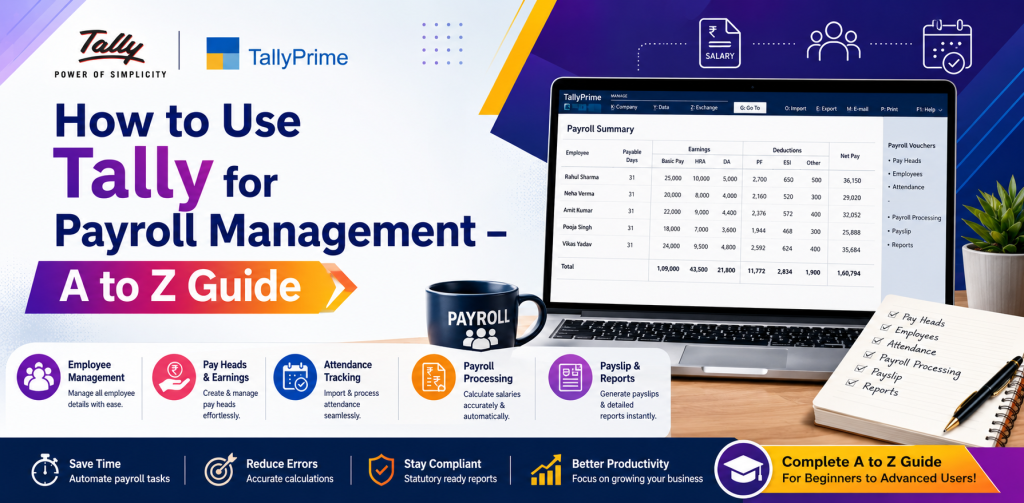
How to Use Tally for Payroll Management – A to Z Guide
Effective payroll management is critical to all organizations, whether they are a small company, medium-sized business, or large corporation. Payroll management encompasses calculating salaries, administering deductions, preparing payslips, and meeting all governmental statutory compliance. Without the use of payroll software, these tasks can be extremely cumbersome. TallyPrime’s robust payroll module makes the entire process simple and facilitates efficient Tally salary management.
The objective of this comprehensive guide is to assist users of TallyPrime in understanding how to perform payroll management, from setting up the payroll module to producing payslips. This guide is intended to be used by both beginning and experienced users of TallyPrime payroll.
Benefits of Using TallyPrime for Payroll Management
There are several advantages of utilizing TallyPrime payroll. The advantages of using TallyPrime for payroll are:
- Calculates salaries accurately and in a timely manner Automates bonus, deductions, and incentives
- Ensures compliance with various governmental statutes such as Provident Funds, Employee State Insurance, and Tax Deducted at Source
- Creates detailed payslips and reports
- Seamlessly integrates with the accounting module for quick bookkeeping
By implementing TallyPrime, companies can minimize time spent on payroll administration, eliminate potential errors, and provide a transparent payroll process.
Activate Payroll Module in TallyPrime
To begin utilizing the payroll module in TallyPrime, you must first enable it:
- Open the Gateway of Tally.
- Click on F11: Features → Accounting Features.
- Activate the Payroll module and click “Yes”.
- If you are tracking working hours or wages tied to production, you may also want to activate Attendance/Production Management.
- Save changes.
Enabling the payroll module enables you to utilize Tally payroll setup for your organization.
Create Employee Categories
Organizing employees into categories based on designation or department can help to facilitate payroll administration:
- Navigate to Payroll Information → Employee Categories → Create
- Enter the category name (e.g., manager, staff, worker).
- Associate the employee category with a default salary structure, allowance or deduction rule if necessary.
This categorization of employees enables quicker salary calculation and fewer manual adjustments to be made during payroll processing.
Enter Individual Employee Detail
Once you have created the employee categories, you need to enter the individual employee detail:
- Navigate to Payroll Information → Employees → Create.
- Enter the following details for the employee:
- Employee name.
- Employee category.
- Date of joining.
- Designation and department.
- Basic salary and allowances.
- Deductions such as PF, ESI, etc.
- Save the employee detail.
All details entered will allow Tally to compute the salaries automatically based on the details inputted for each employee.
Create Payroll Ledgers
As part of integrating with the accounting module, you should create payroll specific ledgers:
- Navigate to Accounts Information → Ledgers → Create.
- Create ledgers for the following:
- Basic Salary.
- HRA (House Rent Allowance).
- Conveyance.
- Overtime.
- PF and ESI.
- Allocate each ledger to the appropriate group (e.g. salary, duties & taxes).
The correct creation of ledgers will link Tally salary management directly with your accounting module.
Define Salary Components
Components of a salary comprise of basic pay, allowances, deductions and bonuses. In Tally, you can define these components so as to automate:
- Navigate to Payroll Information → Salary Details → Create.
- Specify the type of component; either Earnings (salary, HRA, bonus) or Deductions (PF, TDS, loan).
- Link the component to relevant ledgers.
- Define the calculation rules; e.g. % of Basic Salary or Fixed Amount.
Defining the salary components will guarantee accurate monthly computations of Tally payroll setup.
Record Attendance and Overtime (optional)
If you track payroll based on attendance or production, Tally can handle this:
- Enable Attendance/Production Management in the feature menu.
- Record employee attendance with the Attendance Voucher.
- Record overtime or additional hours if required.
This will enable Tally to precisely calculate the variable pay, overtime, or incentive-based salary components.
Process Payroll for the Month
Now that you have set-up the payroll module, you can now process the monthly payroll:
- Navigate to Payroll Vouchers → Payroll Voucher Entry.
- Select the Employee or Category.
- Tally will automatically calculate the salaries based on the salary structure, attendance and deductions.
- Save the voucher to update your accounting and payroll records.
Automation eliminates errors and enables timely and accurate payroll processing within Tally.
Produce Payslips
Payslips provide employees with a breakdown of their salary, deductions and net pay:
- Navigate to Payroll Reports → Employee Payslips → Generate.
- Choose the month and employees.
- Print or export the payslips for distribution to employees.
Tally produces professional, customizable and includes all statutory deductions, enabling the payslip to be utilized as a permanent employee record.
Statutory Obligations and Reporting
TallyPrime facilitates compliance with all statutory obligations:
- Provident Funds (PF): Compute the contributions for the employee and employer.
- Employee State Insurance (ESI): Track contributions and produce reports.
- Tax Deducted at Source (TDS): Automatically calculate and prepare TDS returns.
- Other Reports: Monthly payroll report, department wise salary report, employee wise salary report.
Statutory reporting and compliance functions provided by Tally enable companies to meet governmental regulatory obligations and streamline audit and filing procedures.
Payroll Reporting and Analysis
Tally provides numerous reports to enable managers to analyze payroll expenses:
- Salary Register: Detailed breakdown of salary per month.
- Departmental Salary Report: Compare salary expense per department.
- Employee Wise Summary: Review employee earnings, deductions, and net pay.
- PF/ESI Reports: Review statutory contributions.
Utilizing these reports, companies can make informed decisions regarding compensation, budgeting and cost reduction.
Best Practices for Managing Payroll in TallyPrime
- Maintain Current Employee Records: Keep joining dates, salary revisions and deductions current.
- Use Categories Judiciously: Organize employees who earn salaries similarly to facilitate simpler payroll processing.
- Automate Recurring Allowances: Minimize manual payroll errors and save time.
- Backup Your Data Regularly: Safeguard your payroll records against data loss.
- Educate Your Staff: Even novice payroll administrators can effectively administer payroll using proper training.
Adhering to these best practices will enable you to utilize a functional and productive Tally payroll guide.
Common Errors to Avoid
- Incorrect Assignment of Ledgers: Results in incorrect accounting entries.
- Failure to Account for Mandatory Statutory Deductions: Failure to account for mandatory statutory deductions may result in fines.
- Manually Computation of Payroll: Eliminates the purpose of automation.
- Failure to Record Attendance: When tracking variable pay, failing to record attendance may cause payroll processing errors.
Avoiding these common errors will ensure the accuracy and reliability of TallyPrime payroll.
Benefits of Utilizing Tally for Payroll
Companies in Delhi NCR and throughout India can benefit from utilizing TallyPrime for payroll due to the following reasons:
- Complete Integration with Accounting and Inventory Modules
- Minimizes Manual Errors and Administrative Workload
- Guarantees compliance with Provident Funds, Employee State Insurance,
- Tax Deducted at Source, and Goods and Services Tax statutes
- Generates Professional Payslips and Detailed Reports
- Can Be Used by Small, Medium-Sized or Large Companies.
Tally provides companies with the ability to quickly and easily manage employee compensation.
Conclusion
Processing payroll manually is an inefficient and error-prone method. With TallyPrime, companies can quickly and easily automate salary calculations, produce payslips and meet statutory requirements.
This A to Z guide to Tally payroll setup provides step-by-step instructions for beginners and experts to confidently implement Tally salary management. By taking advantage of Tally’s payroll module, organizations can rapidly and accurately process payroll, minimize administrative workloads, and satisfy statutory requirements.
Regardless of your level of expertise with Tally, following this guide will provide you with the confidence and knowledge to develop effective payroll processes in Tally and improve organizational efficiency. Begin using TallyPrime today and experience the ease and accuracy of automated payroll processing.