
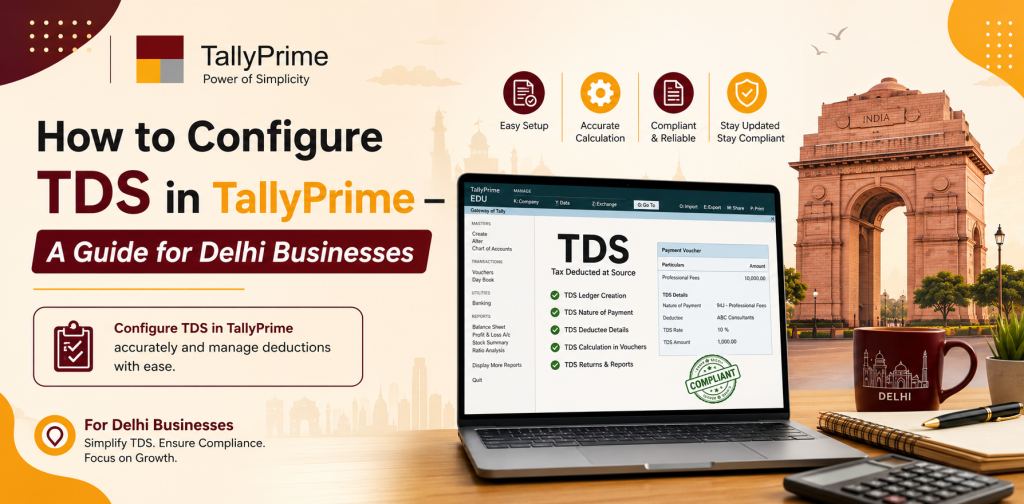
How to Configure TDS in TallyPrime – A Guide for Delhi Businesses
As we all know Tax Deducted At Source (TDS) is one of the most important elements of a company’s overall financial compliance and it has become a necessity for all the businesses running in India. Therefore, it becomes mandatory for businesses operating in Delhi to follow the guidelines of income tax act of India, to avoid paying heavy penalties, to reduce the burden of accounting works and to maintain a clear picture of their financial health. With its powerful features of TDS configuration, TDS ledger maintenance, TDS deduction entry, TallyPrime provides a wide range of features for managing TDS.
Here we have prepared this practical guide, so that the business owners, accountants and finance team members of Delhi based companies can easily understand the way of setting up TDS configuration in TallyPrime. This will help the businesses in Delhi to achieve accuracy in TDS deductions, to prepare reports that are ready for audit and to save time by using automated TDS posting feature of TallyPrime.
Importance Of Setting Up TDS In TallyPrime
The primary reasons of setting up TDS configuration in TallyPrime are:
- To comply with the statutory requirements of Income Tax Act, 1961.
- To calculate and deduct TDS accurately.
- To prepare reports and returns that are required to file with the government, such as Form 26Q, 24Q etc.
- To minimize the chances of errors in accounting entries and reconciliations.
- To save time by automating the posting of TDS entries during the voucher entry.
With the right tools for compliance and precise financial records, businesses can operate smoothly and profitably in Delhi.
Set Up TDS Configuration In TallyPrime
Before you start recording TDS deductions, you first need to enable TDS in TallyPrime. Follow these simple steps:
- Open TallyPrime.
- F11: Features → Statutory & Taxation.
- Enable Tax Deducted at Source (TDS): Yes.
- Choose the TDS nature of payment according to the sections that apply to you (e.g., Contractor, Professional Fees, Rent, Salary).
- Enter your TAN (Tax Deduction Account Number).
- Save the configuration.
When TDS is enabled in TallyPrime, the software automatically calculates the TDS amount every time you enter a payment or expense.
Create TDS Ledgers
After enabling TDS, you will need to create ledgers to capture TDS deductions. Creating TDS ledger in TallyPrime includes:
- Go to Gateway of Tally → Accounts Info → Ledgers → Create.
- Create Ledger Name (e.g. TDS on Contractor Payments).
- Under Group, select Duties & Taxes → TDS.
- Specify TDS Nature and applicable Section.
- Enter TDS Rate (e.g. 10% for contractor payments under Section 194C).
- Save the ledger.
You will also need to create a TDS Payable Ledger under Current Liabilities to track TDS amounts payable to the government.
Create Vendor And Employee Ledgers
To make sure that the TDS deduction entries are accurate, you need to keep the following ledgers for all your payees:
- Go to Accounts Info → Ledgers → Create.
- Enter Vendor or Employee Name.
- Under Group, select Sundry Creditors (for vendors) or Sundry Debtors (for employees receiving reimbursement).
- Specify Applicable TDS Section for each ledger.
- Save the ledger.
This will allow TallyPrime to deduct TDS automatically based on the ledger configuration when you make a payment to a vendor, an employee or a contractor.
Record TDS Deduction Entries
Recording TDS deductions during voucher entry is a unique feature of TallyPrime. The process may vary slightly depending on whether the payment is made to a vendor, employee or contractor.
For Vendor Payments:
- Go to Accounting Vouchers → F4: Payment.
- Select Bank Ledger for payment mode.
- Choose Vendor Ledger to whom payment is being made.
- Enter Amount before TDS deduction.
- In the TDS Ledger Field, select the appropriate TDS ledger.
- TallyPrime will automatically calculate the TDS amount and reduce the payment to the vendor accordingly.
- Save the voucher
For Salary Payments:
- Go to Payroll Voucher → F9: Payment/Salary.
- Select Employee Ledger.
- Enter Gross Salary.
- TDS will be calculated based on the applicable section (e.g. Section 192 for salary).
- Adjust for exemptions and deductions if applicable.
- Save the voucher.
By recording TDS during payment entry, you will ensure that there are no errors in TDS deductions and accounting of taxes.
Generate TDS Reports
TallyPrime provides a variety of TDS reports that help in tracking, reconciliation and statutory filing:
- TDS Deducted Report: Shows TDS deducted from each vendor or employee for a selected period.
- TDS Payable Report: Displays outstanding TDS liability to the government.
- TDS Challan Report: Helps in preparing Form 26QB or 26Q for payments.
- TDS Payment and Filing Report: Supports filing quarterly or annual TDS returns.
You can access TDS reports via Display → Statutory Reports → TDS → TDS Reports. Reviewing these reports regularly will ensure that you are submitting accurate reporting and complying with the law.
Managing Multiple TDS Sections
Many businesses in Delhi deduct TDS under different sections for different type of transactions. TallyPrime allows for the creation of multiple TDS ledgers for:
- Contractor Payments (Section 194C)
- Professional Fees (Section 194J)
- Rent Payments (Section 194I)
- Salary Payments (Section 192)
While entering voucher, you can choose the TDS ledger corresponding to the relevant section. TallyPrime will automatically calculate TDS based on the predefined rate.
TDS Payment to the Government
After deducting TDS, it is required to deposit the same with the government within the specified due date. TallyPrime facilitates in tracking:
- Go to Accounting Vouchers → F5: Payment.
- Select TDS Payable Ledger.
- Enter Payment Amount and Bank Ledger.
- Specify Challan Number and Date.
- Save the voucher.
Tracking TDS payments will help in making timely payment and reduce the risk of penalty for delayed remittance.
TDS Certificate Generation
TallyPrime allows businesses to generate TDS certificates for vendors and employees:
- Form 16/16A for Employees and Contractors: Certificate mentioning the TDS deducted and deposited.
- Quarterly or Annual TDS Certificates: Provided for statutory compliance and vendor transparency.
- Certificates can be printed or exported for sharing with the payees.
Providing TDS certificates to your vendors and employees will demonstrate your transparency and good relationship.
Reconciliation Of TDS
Regular reconciliation of TDS will ensure that the TDS deductions recorded in TallyPrime are matching the actual payments made to the government.
- Compare TDS Deducted Report with Bank Challans.
- Verify TDS Paid with TDS Payable Ledger.
- Identify and rectify any discrepancy in the entries if possible.
- Ensure the records are ready for audit.
Reconciliation of TDS will help businesses in Delhi to maintain compliance and avoid legal issues.
Benefits of TDS Configuration in TallyPrime
- Accuracy: Automated calculation minimizes human errors.
- Time Saving: Record TDS deductions during payment voucher entry.
- Compliance Ready: Generate reports for statutory filings and audits.
- Multiple Segment Support: Manage multiple TDS sections and payees simultaneously.
- Transparency: Maintain detailed records for management and regulatory bodies.
- Recommended Best Practices for TDS in TallyPrime
- Update Vendor and Employee ledgers with latest PAN details and TDS sections.
- Record all payments and deductions on a timely basis.
- Review TDS reports on regular basis to ensure accuracy.
- Reconcile TDS Payable Ledger with Bank Challans.
- Train staff on TDS configuration, voucher entry, and report generation.
By following these best practices, you will be able to handle TDS smoothly and in compliance with the laws.
Real-Life Examples
- Contractor Payments: Deduct TDS on service contracts under Section 194C.
- Professional Fees: Record TDS on consultancy or professional services under Section 194J.
- Salary Payments: Deduct TDS on employee salaries and generate Form 16.
- Rent Payments: Deduct TDS on rental payments under Section 194I.
- Interest Payments: Track and deduct TDS on interest under Section 194A.
Setting up TDS in TallyPrime will help in handling all types of TDS obligations efficiently.
Training and Support
Proper TDS configuration will require some level of staff training and guidance:
- Configure TDS ledgers correctly for multiple sections.
- Train your accounting team to record TDS during voucher entry.
- Generate and interpret TDS reports for compliance and auditing purposes.
- Provide ongoing support for troubleshooting and updates.
Correct guidance will help the businesses to get maximum benefit from TDS management in TallyPrime.
Summary
Setting up TDS configuration in TallyPrime is very much beneficial for accurate TDS calculation and deduction, proper accounting, and statutory compliance for businesses in Delhi. Following the above mentioned step-by-step guide — enabling TDS, creating TDS ledgers, recording TDS deductions and generating reports — the businesses in Delhi will be able to:
- Ensure accurate TDS calculation and deduction.
- Ensure compliance with the Income Tax Act.
- Generate TDS reports and certificates that are ready for audit.
- Manage multiple TDS sections and payees.
- Streamline financial operation with fewer errors.
Using TDS in Tally Delhi will simplify a very complex compliance requirement and will reduce errors, increase transparency. For businesses, implementing TDS configuration in TallyPrime is not merely an accounting task but also an effective tool to ensure compliance, to streamline their financial operations, and to build trust with their vendors, employees and regulatory bodies.