
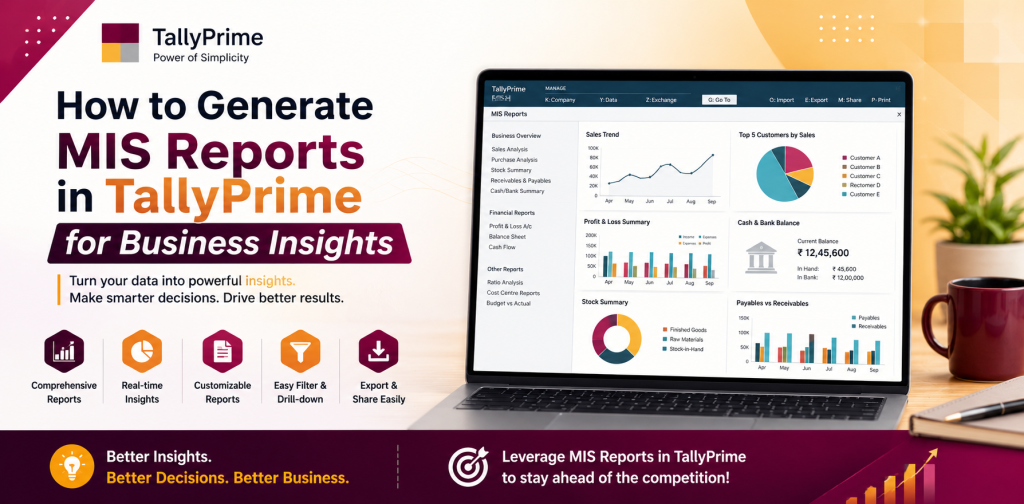
How to Generate MIS Reports in TallyPrime for Business Insights
Generating MIS reports in TallyPrime enables organizations to monitor their sales, purchases, cash flows, inventory, and financial performance in a timely and efficient manner. Tally MIS reports provide users with the necessary business insights to analyze trends, identify opportunities, and make strategic decisions to achieve their goals. In today’s fast-paced business environment, timely and accurate insights into an organization’s operations and finances are essential for staying competitive.
This guide will demonstrate how to generate MIS reports in TallyPrime, which will allow organizations to gain valuable business insights.
Why MIS Reports Are Important To Businesses
- The primary use of MIS reports is as a tool for business management. MIS reports provide complete insight into daily operations. Some of the key advantages of MIS reports include:
• Informed Decision Making: Provide insight into the organization’s financial health and operational efficiency.
• Performance Tracking: Compare sales, purchases and expenses by products, departments or locations.
• Compliance Monitoring: Provide the means to verify the organization’s financial reporting is compliant with statutory requirements for auditing purposes.
• Forecasting and Planning: Use trend analysis to forecast future needs and optimize the organization’s inventory, cash flow and resource utilization.
• Transparency: Enhance accountability among departments and teams within an organization.
Using Tally MIS reports provides business owners with real-time visibility into their organization’s performance, enabling them to make informed decisions about their business in a timely manner.
Types Of MIS Reports That Can Be Generated In TallyPrime
TallyPrime allows organizations to generate a wide variety of MIS reports to meet the different requirements of their operations:
- Financial Reports: Track the organization’s revenue, expenses, profitability and cash flow.
- Sales And Purchase Reports: Track the organization’s sales trends, customer performance and supplier transactions.
- Inventory Reports: Track the organization’s stock levels, item movements and valuation.
- Tax And Compliance Reports: Track the organization’s GST, TDS and other statutory obligations.
- Cost And Profit Center Reports: Track the organization’s performance by department, branch or product line.
These reports provide a complete picture of an organization’s operations, enabling business owners and managers to identify potential problems and opportunities for growth.
Set Up Company Settings In TallyPrime
To generate MIS reports in TallyPrime, you must first set up the company settings properly:
- Open TallyPrime
- Go to Gateway of Tally
- Select F11: Features
- Select F1: Accounting Features
- Enable options for Cost Centers, Inventory Management, and Statutory Compliance if they apply
- Enter your company details, accounting periods and financial year
- Create ledgers for income, expenses, assets, liabilities and taxes
Setting up company settings properly will ensure that MIS reports generated in TallyPrime accurately represent the actual performance of your organization.
Accessing MIS Reports
- TallyPrime organizes MIS reports under Display > Statements of Accounts. Some of the most common categories of MIS reports include:
• Trial Balance: A snapshot of the overall ledger balances.
• Profit & Loss Account: Revenue, expenses, and net profit for a selected time period.
• Balance Sheet: Assets, liabilities, and equity position.
• Cash Flow Statement: Cash inflows and outflows for better liquidity management.
• Inventory Reports: Stock summary, movement analysis and item-wise valuation.
Accessing these reports will provide business owners and managers with a complete overview of their organization’s financial status.
Generating Financial Reports
Financial reports are the core of MIS reporting. TallyPrime makes it easy to create financial reports:
- Go to Display > Statements of Accounts > Profit & Loss A/C
- Select the time period for which you want to generate the report
- Review the income and expense summaries to determine the net profit
- For the Balance Sheet, go to Display > Statements of Accounts > Balance Sheet to see the asset and liability positions
- Use the Cash Flow Statement to analyze liquidity trends and plan for expenditures
Financial reports will enable organizations to assess their profitability, financial stability and the way they distribute funds.
Sales And Purchase Reports
Analyzing sales and purchasing activities is important for an organization’s growth. TallyPrime has many types of reports that will assist with analyzing sales and purchases:
- Sales Register: All sales transactions, either by customer or item.
- Purchase Register: All transactions for supplies, including amount paid and due date.
- Outstanding Receivable And Payable: Overdue payments received from customers or due to suppliers.
- Customer And Supplier Ledger Reports: Transaction history for each individual customer and supplier.
These reports will enable business owners to manage their working capital, manage cash flow and maintain good relationships with both customers and suppliers.
Inventory Reports
Businesses with inventory need to carefully manage their inventory. TallyPrime has many MIS reports related to inventory:
- Stock Summary: Overall quantity, value and location of the stock.
- Movement Analysis: Movement of items into and out of the warehouse during a selected period.
- Ageing Analysis: Items that have been stored for extended periods and may be slow moving or obsolete.
- Item Wise Valuation Reports: Value of each item in inventory for accounting and decision making purposes.
Accurate MIS reports for inventory will enable business owners to prevent stockouts, reduce excess stock and increase profitability.
Cost Center And Profitability Analysis
TallyPrime also provides multi-dimensional analysis through Cost Centers and Profit Centers:
- Create cost centers for departments, branches or product lines.
- Record transactions for the respective cost centers.
- Generate reports for departmental performance, project expenses and profitability.
- Use Cost Center Summary to evaluate each cost center’s contribution to the organization’s overall performance.
These analyses will enable business owners to utilize their resources more efficiently and focus on the most profitable aspects of their organization.
Tax And Compliance Reports
All organizations are required to comply with statutory regulations. TallyPrime has MIS reports for tax compliance:
- GST Summary Reports: Total CGST, SGST and IGST collected and payable.
- TDS Reports: Total TDS deducted for compliance with statutes.
- Tax Ledger Reports: Compliant and ready for audits.
Timely monitoring of these reports will minimize the risk of non-compliance and associated penalties.
Utilizing Advanced Analytics Tools
TallyPrime provides advanced analytics tools to obtain additional insights:
- Graphical dashboards for sales, purchases, and profit trends.
- Comparative analysis of revenue and expenses over multiple periods.
- Product performance analysis to determine top performers.
- Forecasting and planning reports based on past trends.
These analytical reports will enable organizations to anticipate changes in their market and take action to optimize their operations.
Exporting And Sharing MIS Reports
TallyPrime also provides functionality to export MIS reports in various formats:
- Excel: For additional analysis or presentations.
- PDF: For distribution to stakeholders, auditors or management teams.
- Email: For direct distribution to internal teams or external partners.
Sharing and exporting MIS reports will facilitate rapid communication of insights to decision makers.
Benefits Of Using Tally MIS Reports
There are numerous advantages to using MIS reports provided by TallyPrime. Some of the benefits include:
• Accuracy: Automated calculation eliminates errors when creating reports.
• Real Time: Provides the user with the latest information for improved decision making.
•Customizable: Enables the user to create reports based on specific time frames, cost centers or departments.
• Scalable: Provides the ability to manage large multi-branch and multi-department organizations efficiently.
• Compliance Ready: Provides the user with reports required for statutory and audit compliance easily.
• Best Practices For Creating MIS Reports In TallyPrime
To receive the greatest benefit from Tally MIS reports, follow the best practices below:
• Maintain accurate and up to date ledgers and stock records.
• Use cost centers and profit centers for multi-dimensional analysis.
• Periodically reconcile your accounts to ensure accuracy.
• Schedule regular MIS reports to enable pro-active management.
• Train your staff to create and analyze MIS reports properly.
Following these best practices will ensure that your organization receives the greatest benefit possible from using Tally MIS reports.