
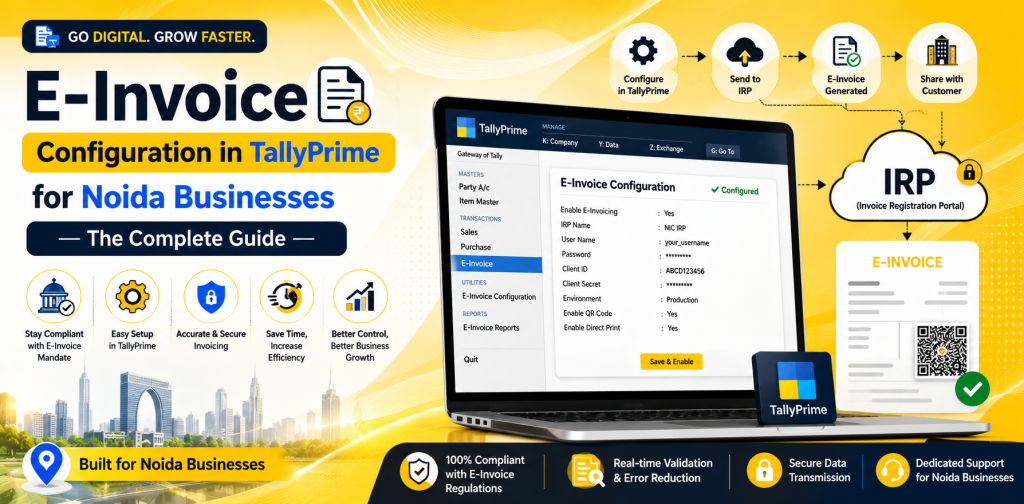
E-Invoice Configuration in TallyPrime for Noida Businesses — The Complete Guide
The Indian government has implemented GST e-invoicing for businesses that cross the established thresholds for sales. Those who have exceeded those thresholds will be required to produce invoices through the Invoice Registration Portal (IRP). In addition to being compliant, producing e-invoices will also improve accuracy and efficiency in producing invoices for businesses in Noida.
This complete guide outlines the steps to configure and create e-invoices in TallyPrime and assist businesses with staying compliant and prepared for the future. This is the complete guide for creating a reliable process for E-invoice TallyPrime Noida.
What is E-Invoicing Under GST?
Under GST, e-invoicing refers to the electronic authentication of B2B invoices through the GST portal. Upon validation of each invoice, a unique Invoice Reference Number (IRN) and QR code are assigned to it.
Manual entry of invoice data into the GST portal is no longer required for businesses using TallyPrime e-invoice. They can create e-invoices from their accounting systems which makes the process streamlined and free of errors.
Who Requires E-Invoice Configuration in Noida?
As stated by the GST regulations, businesses are required to utilize e-invoicing for those businesses whose annual turnover exceeds a particular amount of money (the amount is updated periodically by the government).
- You require Tally e-invoice configuration if:
- Your business’ annual turnover exceeds the applicable GST limits.
- Your business creates B2B invoices.
- You wish to automate the process of compliance for GST.
- You wish to reduce the errors created when producing duplicate invoices.
All businesses in Noida that create B2B invoices for manufacturing, trading, logistics, and service businesses must comply with GST e-invoice Noida to prevent fines.
Benefits of Using E-Invoicing in TallyPrime
Creating e-invoices using TallyPrime offers many benefits including:
1.Compliance with GST Regulations
Compliance with GST regulations and laws related to e-invoicing will assist in preventing potential legal complications.
2.Reduction of Errors
Validation of invoices automatically eliminates the possibility of manual errors occurring during the creation of invoices.
3.Fast Processing of Invoices
Invoices are produced and validated instantaneously through e-invoicing.
4.Instantaneous Updates to GST Returns
Each time invoices are produced and validated, the invoice data will be automatically inserted into the GST returns.
5.Increased Productivity in Your Business
Automating the production and validation of invoices will eliminate unnecessary work hours for employees and increase productivity.
Prerequisites for Tally E-Invoice Setup
Before configuring TallyPrime e-invoice, the following prerequisites must be met:
- The most recent version of TallyPrime has been installed.
- A valid GSTIN and login information has been obtained.
- Registration with the Invoice Registration Portal (IRP).
- An active internet connection.
- API access has been enabled (as needed).
- These prerequisites are necessary for successful e-invoice TallyPrime Noida configuration.
Step-by-Step Instructions for Configuring E-Invoice in TallyPrime
The following are the instructions to configure and generate e-invoices in TallyPrime:
Step 1: Turn On E-Invoicing Feature in TallyPrime
- Open TallyPrime
- Go to Gateway of Tally → F11 (Features) → Statutory & Taxation
- Enable GST
- Check the box next to “E-Invoicing” to turn it on
This enables the Tally e-invoice setup option within your system.
Step 2: Enter Correct Company Information
Verify that all of the following company information is correct:
- GSTIN
- Name of the company as per GST
- Address and contact information
Entering incorrect information may cause your invoices to be rejected by the IRP.
Step 3: Establish API Access
Establish a connection between TallyPrime and the IRP:
- Go to GST Portal
- Enable API access
- Create client ID and secret
Input this information in TallyPrime to allow direct communication with the IRP.
Step 4: Configure All Ledgers and Stock Items
Verify that all ledgers and stock items are correctly configured:
- Correctly assign GST rates to each ledger.
- Update HSN/SAC codes for each stock item.
- Define unit and quantity for each stock item.
Properly configuring your data will result in smooth e-invoicing in Tally.
Step 5: Create an Invoice
Create a sales voucher in TallyPrime. Input the transaction information. Select the buyer (with a valid GSTIN) Ensure all required fields are completed. After you have finished entering the transaction information:
- Click on “Generate E-Invoice”
- TallyPrime sends the information to IRP.
- IRP verifies and provides the IRN and QR code.
The invoice is now registered under the e-invoice GST Noida.
Step 6: Print E-Invoice with QR Code
You can print the invoice with:
IRN number
- QR code
- GST details
You have now completed the e-invoice creation process in TallyPrime.
Common Problems When Creating E-Invoices and Solutions
When implementing e-invoice TallyPrime Noida, businesses may encounter a few challenges:
Invalid GSTIN
Solution: Confirm the GSTIN for both buyer and seller.
No HSN Code
Solution: Update HSN/SAC codes for all stock items.
Incorrect Tax Amounts
Solution: Review GST rates and configuration for all ledgers.
Failed API Connection
Solution: Confirm the validity of the API information and the status of your internet connection.
Best Practices for Implementing E-Invoice in TallyPrime
In order to achieve effective results with the Tally e-invoice setup, please adhere to the following guidelines:
- Use the most recent version of TallyPrime available.
- Periodically review and update GST rates and rules.
- Keep master data accurate.
- Back-up your data regularly.
- Provide instruction for all of your accounting personnel.
Why Noida Businesses Should Use E-Invoicing Today
The city of Noida is one of the fastest growing cities for businesses in India. Many businesses operating in Noida engage in large-scale transactions. Implementing GST e-invoice Noida compliance will ensure:
- More transparent transactions m
- Quicker processing of GST returns
- Increased credibility among customers
- Decreased risk of penalties
Any business that delays the implementation of e-invoicing may experience difficulties in complying with regulatory requirements and may experience reduced levels of productivity in their operation.
How We Can Help with Setting Up Tally E-Invoice
We are a professional consultancy firm and provide comprehensive assistance with implementing e-invoice TallyPrime Noida.
- Services Offered by Our Consultancy Firm
- Installation and Upgrade of TallyPrime
- Configure and activate e-invoice functionality in TallyPrime
- Register with the IRP and establish API access
- Validate and test your data
- Assist with employee training and technical support
- Ongoing Technical Assistance and System Maintenance
Our services do not end once we have configured your e-invoice system. We continue to provide technical support to ensure your e-invoice system operates smoothly.
Troubleshoot problems
- Upgrade compliance updates
- Improve the performance of your system
- Regular maintenance of your system
With our knowledge base, your TallyPrime e-invoice system will operate at maximum capacity.
Future of E-Invoicing in India
It is predicted that the scope of e-invoicing in India will expand to include additional businesses over the next few years. Therefore, early adoption of e-invoicing will give businesses a competitive advantage.
As automation and digitalization become critical components of every industry, the role of e-invoicing in TallyPrime will be essential in streamlining taxations, increasing transparency, and reducing fraudulent activitie s.
Conclusion
Configuring e-invoicing in TallyPrime is a significant step towards achieving GST compliance and improved efficiency in the operation of businesses in Noida. Utilizing the proper configuration and expert support, the entire process will be easy to accomplish.
This complete guide is intended to aid you in understanding the detailed configuration process for Tally e-invoice setup, from activating features to producing invoices. Whether you are updating your current system or beginning a new system, implementing E-invoice TallyPrime Noida will ensure that your business remains compliant, efficient, and prepared for the future.
Do you need our consultancy team to assist with implementing and managing your TallyPrime e-invoice syste