
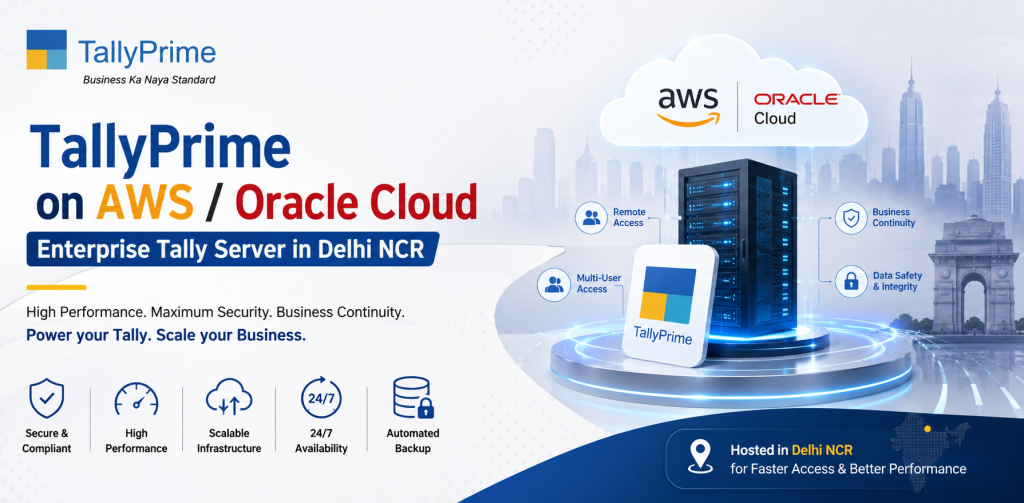
TallyPrime on AWS / Oracle Cloud — Enterprise Tally Server in Delhi NCR
Large businesses in Delhi NCR need accounting solutions that provide far more than just simple functionality. Businesses require high levels of availability, strong security, flexible scalability and real-time access to their financial information. The majority of traditional systems cannot fulfill the above mentioned requirements when dealing with an organization that has multiple departments, locations or possibly even countries.
Here is how TallyPrime on AWS / Oracle Cloud can become a powerful, enterprise-level accounting solution. Both Amazon Web Services (AWS) and Oracle Cloud are two of the largest cloud providers in the world. With either of these two options, a business can leverage world-class cloud infrastructure to convert their accounting systems into highly available, secure and scalable platforms.
If your organization is looking for enterprise level Tally server hosting in Delhi NCR, cloud hosting via AWS or Oracle offers unparalleled levels of performance and reliability.
What is TallyPrime Enterprise Cloud Hosting?
TallyPrime enterprise cloud hosting involves placing your TallyPrime application onto a high-performance cloud environment using either AWS or Oracle Cloud. Rather than being stored on a physical server located at your premises, your Tally application will be hosted on a globally recognized data center that has a number of advanced capabilities. Using TallyPrime on AWS or Oracle Cloud, businesses can:
Access Tally from anywhere they have an internet connection.
Ensure all data is synchronized in real-time.
Process large amounts of financial transactions.
Protect financial data with enterprise level security.
Using this method is best suited for organizations that have large, complex operations and/or high data demands.
Why Do Organizations in Delhi NCR Need Advanced Levels of Tally Server Hosting?
The Delhi NCR area is comprised of many large enterprises, multinational corporations and rapidly growing businesses. These organizations experience some unique operational challenges.
Organizations are experiencing high volume transactions.
Organizations must maintain 24 x 7 availability across multiple locations.
Organizations must protect sensitive financial data.
Organizations must have scalable infrastructure as they expand.
Most traditional systems will experience limitations when trying to satisfy the above listed challenges. Tally Prime enterprise cloud solutions using AWS and Oracle provide solutions for organizations that are challenged by the above listed challenges.
Overview of AWS and Oracle Cloud for Tally Server Hosting
Amazon Web Services (AWS)
AWS is one of the leading cloud service providers in the world. It is well known for its flexibility and reliability. When businesses host their Tally application on AWS, they can take advantage of:
Global reach of AWS’s infrastructure.
Auto-scaling capabilities to increase/decrease the amount of resources available to the application.
Multiple availability zones to provide redundancy and eliminate the risk of a single point of failure.
Enterprise level security measures.
Oracle Cloud
Oracle Cloud is built specifically for enterprise applications and data intensive workloads. When organizations utilize Tally on Oracle Cloud, they gain benefits including:
Performance optimization for high speed data processing.
Enterprise level database administration capabilities.
Enterprise level security capabilities.
High speed compute capabilities.
Features of Enterprise Level Tally Server Hosting
1.High Availability and Uptime
Cloud hosting provides organizations with extremely high availability and uptime. This is achieved through:
Redundancy in servers
Load balancing to distribute traffic across multiple servers
Failover systems to automatically switch to a redundant server in the event of a primary server failure
Regardless of whether you are accessing your Tally server from Delhi or Noida, this level of availability ensures that your Tally server will always be accessible.
2.Advanced Security Capabilities
Security is critical for any organization. Cloud hosting provides organizations with advanced security capabilities. Some examples include:
End-to-end encryption for all data transmitted between users and the Tally server.
Multi-factor authentication to provide additional security to prevent unauthorized access.
Firewalls and other network security features to restrict access to the Tally server.
Compliance with global security standards.
All financial data will be secure regardless of whether you are accessing the data from Delhi or Meerut.
3.Scalable Resources On-Demand
When utilizing cloud hosting for your Tally application, you can scale the amount of resources (such as users, storage space, etc.) allocated to the application as needed. Examples of scalable resources include:
Adding users to your Tally server instantly
Increasing storage capacity as needed
Processing large amounts of financial transactions during peak periods without impacting performance.
4.Multi-Locations Access
When organizations operate across multiple locations within the Delhi NCR region (or across different parts of India), cloud hosting allows you to:
Provide instant access to your Tally server from any location.
Centralize data management and reporting.
Improve collaboration among teams and departments.
5.Automated Backups and Disaster Recovery
Both AWS and Oracle provide automated backup and disaster recovery capabilities. Some examples include:
Automating backups of your Tally server to prevent loss of data in the event of a hardware failure or disaster.
Replicating your Tally data to multiple geographic locations to allow for quick recovery in the event of a disaster.
These capabilities reduce downtime and minimize potential losses related to data loss.
Advantages of TallyPrime on AWS / Oracle Cloud
✓ Enterprise-Grade Performance
Cloud infrastructure is built to process heavy workloads, providing for smooth and fast operation.
✓ Cost Optimization
Although investing in enterprise hosting may cost money upfront, it avoids:
Hardware costs
Ongoing maintenance costs
Potential downtime related costs.
✓ Simplified Management
Manage all aspects of your financial operations from a single platform, enhancing your ability to be efficient and transparent.
✓ Compliance and Reliability
Meets compliance regulations and industry standards with secure and compliant cloud environments.
✓ Future-Proofed Infrastructure
Staying ahead of technological advancements with scalable and adaptable cloud solutions.
Use Cases for Enterprise Level Tally Server Hosting
1.Large Manufacturers
Manage production, inventory and financial data across multiple manufacturing facilities.
2.Retail Chains
Manage sales, inventory and accounting across multiple retail locations.
3.Logistics & Distribution Companies
Manage logistics and distribution operations and track transactions across multiple locations in real-time.
4.Corporate Enterprises
Process large amounts of financial data quickly and accurately.
Comparison Between AWS and Oracle Cloud for TallyPrime
Feature AWS Oracle Cloud
Scalability Highly scalable Highly scalable
Performance Highly performant database Highly performant database optimized for data processing
Global Presence Global presence Regional presence
Pricing Model Pricing model is very flexible Pricing model is competitive
Ideal for General purpose enterprise Tailored for data intensive applications